Explainer Skills turn a topic or a script into a short narrated animated video with one consistent art style. ChatCut lists them under Explainer Videos. There are 10 styles, and each one is its own Skill. You give a topic or your exact script, and the Agent writes or keeps the narration, makes the pictures, and assembles an editable timeline. All 10 run in ChatCut Web and ChatCut Desktop.
How do I choose a style?
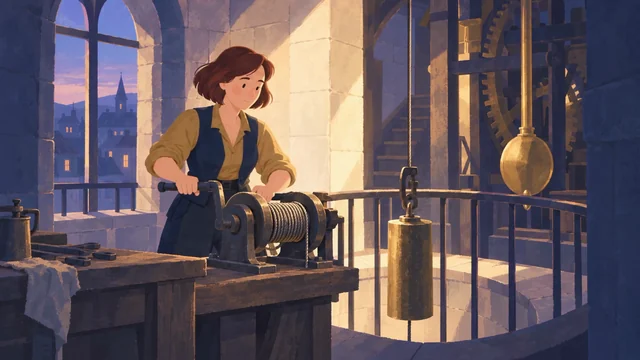
Match the style to your subject. Each style has a short description on its Skill page and a preview in the Skill library (select View all above). These five were used most in the last 30 days:
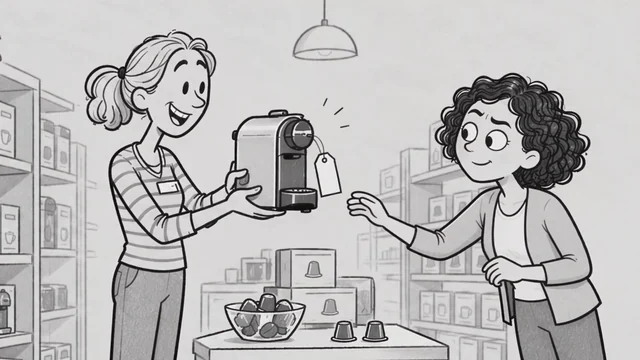
- Hand Drawn. The most used. Hand-drawn lines and illustrated scenes. Suits everyday science, knowledge sharing, and stories from daily life.
- Pastel Flat 2D. Flat 2D animation with soft pastel colors and simple visuals. Suits product introductions, everyday explainers, and brand education.
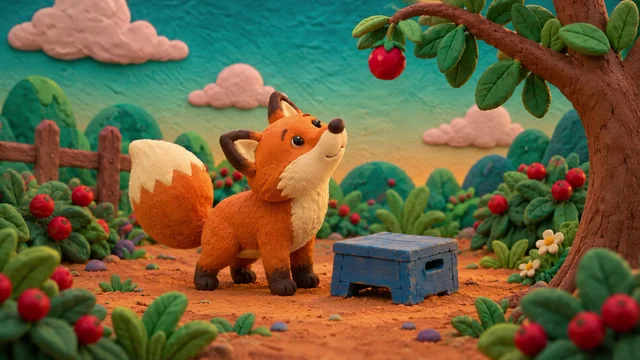
- Claymotion. Clay characters with a handmade stop-motion look. Suits children’s stories, nature explainers, and playful educational content.
- Paper Atlas. A paper-cut collage of landmarks, paper maps, and animated routes. Suits travel explainers and destination introductions.
- Whiteboard Doodle. Whiteboard drawings and animated doodles that build an idea step by step. Suits concepts, how-to steps, and lessons.
The rest of the family:
- Paper collage. Paper textures and cutout shapes. Suits cultural stories, opinion pieces, and visual learning notes.
- Fairy Tale & Myth. Storybook textures and a fantastical atmosphere. Suits fairy tales, myths, folklore, and fables.
- Paper Diorama. Layered paper scenery and miniature sets. Suits historical stories, cultural topics, and craft processes.
- Pixel Art. Pixel characters and retro game-style scenes. Suits gaming topics and retro stories.
- Archive Collage. A retro collage of photographic cutout characters, archival images, and animated text. Suits biographies and historical figures.
Eight styles make a narrated video from a topic or script. Paper Atlas and Archive Collage work differently. They research a destination or a person and build an editable Motion Graphics timeline. They have their own short form. Paper Atlas adds no narration by default.
What do I need before I start?
- A topic or your script. A topic alone is enough. The Agent writes the narration. If you paste an exact script, the Agent keeps your wording.
- For Paper Atlas, a country or destination. Add the cities or sights you want to feature in Additional notes.
- For Archive Collage, a person’s name. Add the experiences or events you want to cover.
- Optional reference material. Paper Atlas and Archive Collage take images, audio, or video you want used.
- Credits. For the eight narrated styles (such as Paper collage and Hand Drawn), hosted image and voice generation use generation credits starting in the initial sample and full-preview stages, hosted video generation uses credits in the approved animation stages (with the cost quoted before animation starts), and built-in Agent work uses credits throughout. ChatCut’s hosted image generation also requires an active Pro plan. See Credits.
How do I run it?
- Open a style from the gallery above, from chatcut.io/skills, from Home, or from Skills in the AI composer.
- Fill in the form and select Start creating. The Skill hands the work to the Agent in ChatCut.
- Review each stage in order. Submitting the form never generates all images, narration, and animation at once—the Agent stops after every one of the first three stages and waits for you:
- Sample. One scene image and a short voice sample.
- Full preview. All scene images with the narration, playable on the timeline.
- Animated sample. One representative scene animated in place of its image slot.
- Approve a stage to move on. Approving a preview or sample covers that stage only; the Agent animates the remaining scenes only after you approve the animated sample and the quoted cost for the remaining slots.
Hand Drawn and Pixel Art check your script for characters first. If a character appears and you have not supplied a picture, the Agent asks one short question in the chat: use an existing character image, or have AI design one. It waits for your answer before it makes any pictures.
Fill in the form
The eight narrated styles share the same form. This is the Hand Drawn form. Try it here: it opens ChatCut with your choices filled in.
Try the Hand Drawn form on its Skill page.
| Field | Options | What it changes |
|---|---|---|
| Topic or exact script | Text, required (up to 12,000 characters in the form) | What the video is about. A topic lets the Agent write the narration; an exact script is kept as written |
| Duration | 15 s (preselected), 30 s, 60 s, 90 s, or Other (1 to 600 whole seconds) | The final length of the edited video |
| Narrator voice | Auto-select (preselected), Peter, Hope, Alex, or More voices | The narrator. Auto-select lets ChatCut choose a voice that fits |
| Aspect ratio | Landscape 16:9 (preselected), Portrait 9:16, or Other (custom width:height, such as 1:1 or 4:5) | The shape of the video |
| Resolution | 480p, 720p (preselected), or 1080p | The output resolution |
| Subtitles | Off (preselected) or On | Whether captions are added |
| Content language | English (preselected), Chinese, Spanish, or Other (up to 80 characters) | The language of the narration |
By default, the form preselects 15 s duration, Auto-select voice, Landscape 16:9 aspect ratio, 720p resolution, Subtitles Off, and English narration language. Choosing Other for Duration, Aspect ratio, or Content language opens a custom input field.
The art style is fixed by the Skill you chose. To try another look, open another style’s page.
Paper Atlas and Archive Collage use a shorter form: a Country or destination (Paper Atlas) or a Person (Archive Collage) up to 200 characters, optional Additional notes (up to 4,000 characters), and optional Reference material (up to 20 image, audio, or video files). Their form has no separate language selector; write any language, duration, format, or sound preferences in Additional notes.
Prompts you can copy
You can also attach a style from Skills in the AI composer and describe the video yourself.
Use Hand Drawn to explain how vaccines train the immune system. About 60 seconds, landscape, English narration, subtitles on. Show me the first image and a short voice sample before you continue.
Use Whiteboard Doodle for the script below. Keep my wording exactly. Portrait 9:16, about 30 seconds. [paste your script]
Use Paper Atlas for Portugal. Feature Lisbon, Porto, and the Algarve coast. Keep it to about 30 seconds and add no narration. Tell me which places you picked and where the photos came from.
What does ChatCut do for me?
For the eight narrated styles, the Agent works in stages so you can steer before it spends more.
- Reads your input. A topic gets a narration script written by the Agent. An exact script stays exact.
- Checks for characters in Hand Drawn and Pixel Art, and asks once if it needs a reference.
- Makes one sample first. Exactly one scene image and one short voice sample, shown for your review before any full preview or video job runs.
- Builds the full preview. All scene images and the measured narration, with captions if you turned them on, at the length you chose.
- Animates one scene, then the rest. After you approve the full preview, it quotes and makes one representative animated sample in place of its image slot and waits. Only after you approve that sample and the remaining cost does it animate the approved remaining scenes.
For Paper Atlas and Archive Collage, the Agent researches the subject, picks real places or events, and builds the whole piece as editable Motion Graphics. Real photos come first, and it keeps source notes. It does not pass generated images off as real photos.
What do I get?
You get an editable timeline, not a flat render, with no fixed universal scene count. The result is labeled for what it is: an illustrated preview, a mix of illustrated and animated scenes, or fully animated. If you stop after the preview, you keep the illustrated version; a final animated export is produced after you approve the final animation scope. On the narrated styles’ timeline, accepted narration, frame ranges, and optional captions stay aligned when image slots are replaced by animated clips, while each generated image or video clip itself is a flat media asset rather than a layered graphic with separately editable internal objects. Paper Atlas and Archive Collage give you editable Motion Graphics, which you can change on the canvas or ask the Agent to revise. See Motion Graphics. Export when you are happy with the result.
What are the limits and tips?
- Expect to review. The first three stages each end with a result for you to check. An approval covers that step only, so the Agent asks again before the next paid step.
- The length you choose is the final length. The Agent does not round it up.
- Keep accepted work. If you ask for a change, the Agent preserves approved images, narration, and finished animation, and fixes only the part you named.
- Pick the language in the form. The language of the ChatCut interface does not decide the narration language.
- Paper Atlas defaults. It picks three stops, aims for 31 seconds in 16:9 at 30 fps with short English labels, and adds no narration unless you ask for it in Additional notes.
- Archive Collage defaults. It is vertical 9:16 at 30 fps, about 40 to 45 seconds, with 6 to 8 beats.
- Check the facts. Paper Atlas and Archive Collage research real places and people. Read the sources the Agent lists before you publish.
- Sample clips are not your video. The previews in the gallery show the style, not your content.